Put the picture first.
Open programme information in full screen. Audio, subtitles and picture settings are close at hand.
Live TV, films and series. Together on your TV, with room for what you love to watch.
Your own playlist and an invitation are required for first-time setup.
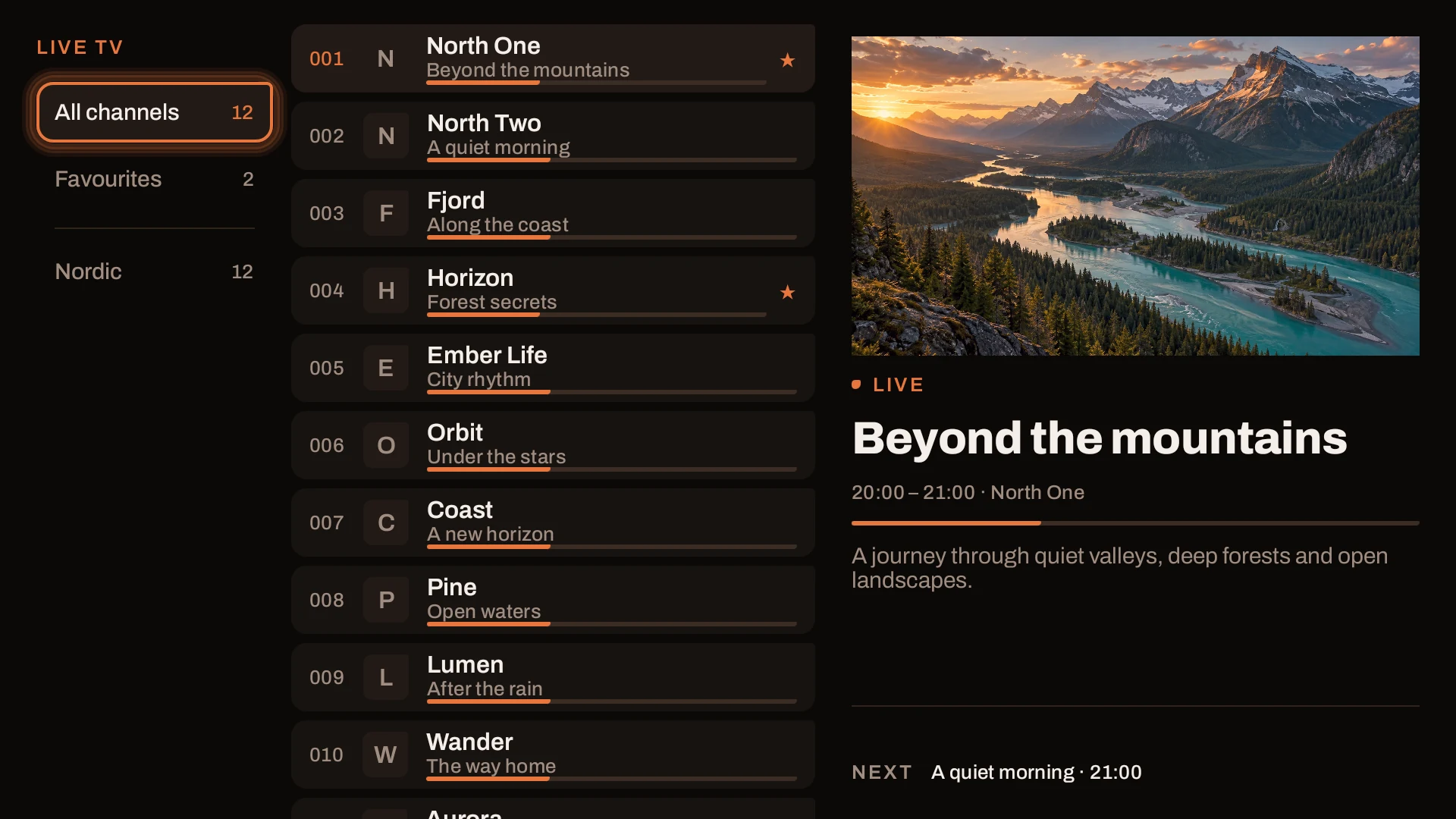
01 / INSIDE THE APP
Take a look inside FlowStream. Choose a view and explore the details.
Demo contentBrowse groups and channels with the picture still in view. Keep your favourites close.
02 / MAKE IT YOURS
Choose the look and settings that suit you, your screen and your evening.
Warm and mellow, crisp and green, or deep and violet. Try the difference.
Ember — warm tones and a glowing accent.
Mark the channels you return to and bring them together in Favourites.
Find films you have started and pick up where you left off.
Add and switch between your playlists. One is active at a time.
Open programme information in full screen. Audio, subtitles and picture settings are close at hand.
Adjust language, updates, playback and remote controls in the app's settings.
FLOWSTREAM / PRICING
Planned pricing for FlowStream on Android TV. App access only — channels and subscriptions are not included.
Pricing proposal · Alpha 18 · Plans are not yet available
01 / TRY IT
0 SEK
for 7 days
Try FlowStream with your own content
Planned · not yet available
02 / MONTHLY
19 SEK
per month
Billed monthly
Planned · not yet available
03 / YEARLY
149 SEK
per year
12.42 SEK/month, billed yearly
Planned · not yet available
Proposed consumer prices in SEK, including VAT. The 7-day trial and paid plans are proposed; trial activation and payment are not yet enabled.
Your source determines which channels, films and series you can watch, and how many streams can play at once.
03 / GET STARTED
Enter the details on your phone. Let your TV take it from there.
Download the APK using the button. You can also open pair.flowstream.one/tv.apk in Downloader on your TV and follow the installation steps.
Launch FlowStream on your TV. Open the pairing page on your phone and enter the code shown on the TV.
Enter your M3U address or Xtream details. For first-time setup, you also need an invitation code from the person who gave you access to FlowStream.
Your TV imports the source. The time needed depends on the size of your library. Then you can browse and start watching.
No long addresses to type with a remote. The image shows an inactive demo code.
Open pairing04 / YOUR REMOTE
Default controls while watching live TV in full screen.
Direction buttons can be customised in Settings. For films and episodes, OK pauses and left/right seeks.
05 / GOOD TO KNOW
No. FlowStream is a player. You add your own source that you have the right to use. All content on this page is fictional demonstration material.
FlowStream supports M3U playlists and Xtream Codes. The channels, films and series available depend on your source.
A new TV needs an invitation code to receive its first source. Get it from the person who gave you access to FlowStream. A TV that already has a source does not need a new invitation to change or add a playlist.
Your source needs to provide XMLTV programme data that can be matched to its channels. Channels can still play without a schedule, but programme information will not be available.
Update manually or choose an update interval in Settings. You can also update just the programme guide.
Available audio tracks and subtitles depend on the content from your source. The app's own menus are available in Swedish and English.